Visitors rarely leave a website because they’re uninterested. Instead, they leave because they’re confused. They wonder about pricing, delivery, refunds, or next steps. When answers aren’t easy to find, hesitation takes over. That’s precisely why FAQ templates have become essential for modern websites.
Rather than guessing what users might ask, FAQ templates give you a proven structure to answer real questions clearly and quickly. As a result, users feel confident, support tickets drop, and trust grows naturally. At the same time, search engines favor FAQ sections because they match user intent and often appear in featured snippets.
In this complete guide, you’ll discover what FAQ templates are, why they matter, and how to use them effectively. More importantly, you’ll get ready-to-use FAQ templates for websites, businesses, products, services, e-commerce, SaaS, and landing pages. By the end, you’ll know exactly how to create FAQ sections that improve user experience and support SEO growth.
What Is an FAQ Template?
An FAQ template is a structured layout used to present frequently asked questions and clear answers. Instead of starting from a blank page, you follow a predefined format that organizes questions logically and keeps answers concise.
Because templates follow best practices, they save time and reduce inconsistency. Moreover, they ensure important questions never get overlooked. While custom FAQs work in some cases, templates are ideal when you want speed, clarity, and scalability.
Why FAQ Templates Are Important
First of all, FAQ templates improve user experience by removing friction. Users find answers instantly instead of searching multiple pages. As a result, bounce rates often decrease.
Additionally, FAQ templates reduce customer support workload. When common questions are already answered, fewer emails and chats reach your support team. At the same time, FAQs build credibility by showing transparency.
From an SEO perspective, FAQ templates help search engines understand your content better. Since many questions mirror real search queries, your page has a higher chance of ranking for long-tail keywords and featured snippets.
Key Elements of a High-Quality FAQ Template
Although templates vary, strong FAQ sections always share core elements. First, questions should be clear and written exactly how users ask them. Second, answers must be direct and useful, without unnecessary fluff.
Next, questions should be grouped logically. For example, pricing questions belong together, while technical questions deserve their own section. Additionally, formatting should be scannable, using headings, spacing, and bullet points when needed.
Finally, mobile responsiveness matters. Since many users browse on phones, FAQ templates must be easy to expand, read, and navigate on small screens.
How to Structure an Effective FAQ Section
Start by placing the most important questions at the top. Since users often skim, leading with high-impact questions improves engagement. Ideally, answers should stay between two and five sentences.
Meanwhile, tone should remain friendly and conversational. Avoid jargon unless your audience expects it. Also, internal links can be added naturally within answers to guide users to relevant pages.
When it comes to layout, accordion-style FAQs work well for long sections. However, static FAQs are better when SEO visibility is the primary goal.
General Website FAQ Template
This template works well for almost any website.
Common Questions Include:
- What does this website offer?
- How can I contact support?
- Is my information secure?
- How do I create an account?
Template Example:
- Question: How can I contact customer support?
Answer: You can reach our support team through the contact form or by emailing support@example.com. We usually respond within 24 hours.
Business FAQ Template
Business FAQs focus on trust, operations, and policies. Therefore, clarity is crucial.
Key Topics:
- Business hours
- Location and service areas
- Payment methods
- Refund policies
This template reassures customers before they make contact or a purchase.
Product FAQ Template
Product FAQs address usability and expectations. As a result, they reduce returns and dissatisfaction.
Common Questions:
- What are the product specifications?
- How do I use this product?
- Does it come with a warranty?
- How long does shipping take?
Clear answers here directly influence buying decisions.
Service FAQ Template
Service-based FAQs explain processes and outcomes. Since services can feel intangible, transparency matters even more.
Important Questions:
- What’s included in the service?
- How long does it take?
- How many revisions are allowed?
- What is the pricing structure?
This template helps set boundaries and avoid misunderstandings.
E-Commerce FAQ Template
E-commerce FAQs focus heavily on logistics. Therefore, they should be easy to find and read.
Essential Topics:
- Order processing
- Shipping timelines
- Returns and exchanges
- Payment security
When done well, these FAQs directly improve conversion rates.
SaaS FAQ Template
SaaS FAQ templates address onboarding and technical concerns. Since users want quick answers, simplicity matters.
Key Areas:
- Account setup
- Pricing plans
- Data security
- Cancellations and upgrades
These FAQs support onboarding while reducing churn.
Landing Page FAQ Template
Landing page FAQs are objection-focused. Instead of answering everything, they address buying hesitation.
Typical Questions:
- Is this right for me?
- What happens after signup?
- Is there a guarantee?
- How fast can I see results?
Placed near the CTA, these FAQs often increase conversions.
Blog FAQ Template
Blog FAQs handle content-related questions and disclosures.
Common Topics:
- How often is content published?
- Can readers contribute?
- How is the blog monetized?
- How can readers stay updated?
This template builds transparency and community trust.
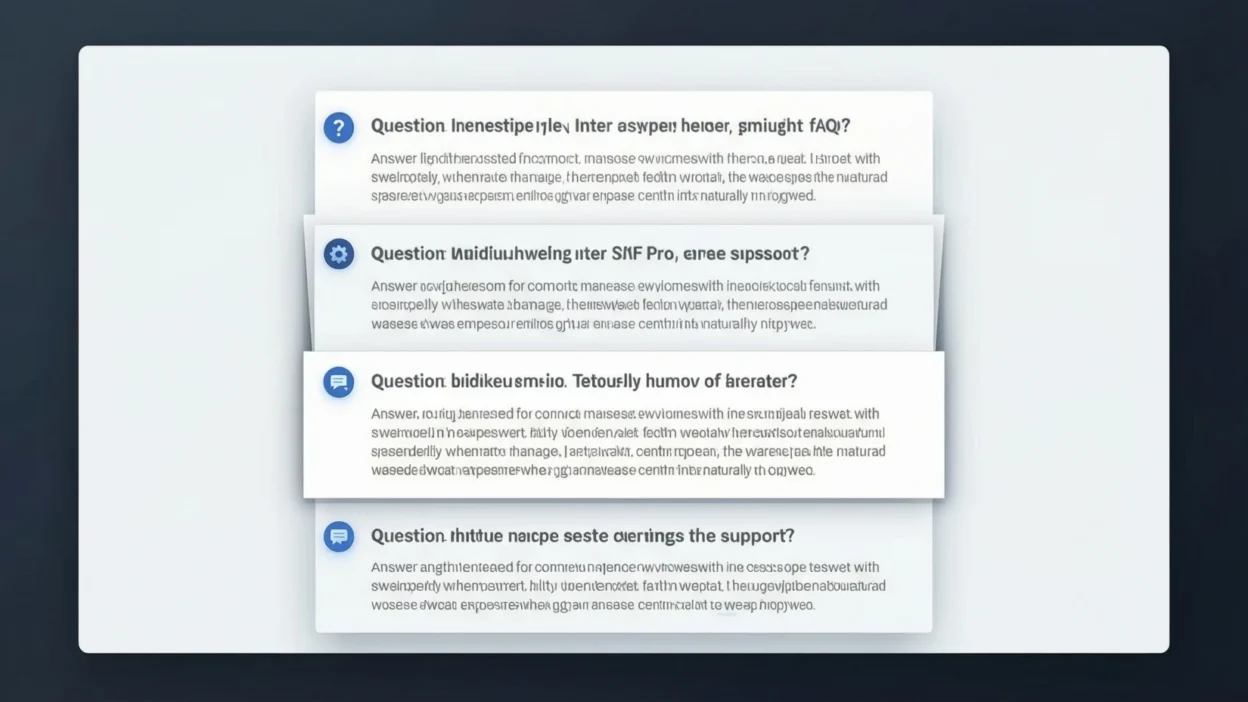
Expandable (Accordion-Style) FAQ Template
Accordion FAQs work best when you have many questions. They keep the page clean while allowing users to expand only what they need. However, ensure key questions remain crawlable for SEO.
Short vs Long FAQ Templates
Short FAQs work well for landing pages and simple websites. On the other hand, long FAQs are ideal for support pages and complex products. Often, a hybrid approach delivers the best results.
SEO Optimization for FAQ Templates
To optimize FAQ templates for SEO, include keywords naturally in questions. Since search engines favor clear answers, structure responses in simple sentences.
Additionally, FAQ schema markup can help your content appear as rich results. Voice search optimization also matters, so write questions conversationally. Most importantly, avoid keyword stuffing, as clarity always wins.
Common FAQ Template Mistakes to Avoid
Many websites overload FAQ sections with unnecessary questions. Instead, focus on real user concerns. Vague answers also reduce trust, so be specific whenever possible.
Duplicate questions create confusion, while ignoring mobile design hurts usability. Finally, outdated FAQs damage credibility, so updates are essential.
How to Customize an FAQ Template for Your Website
Start by matching the tone to your brand voice. Next, use customer emails, chats, and search data to refine questions. Over time, test placement and wording to improve performance.
FAQ Templates Best Practices
FAQs should be updated regularly as products and policies change. Additionally, placing FAQs on key pages maximizes their impact. Tracking user behavior can also reveal which questions need improvement.
Frequently Asked Questions About FAQ Templates
What is the best FAQ template for SEO?
Templates with clear questions, concise answers, and schema markup perform best.
How many questions should an FAQ page have?
Most pages work well with 8–15 focused questions.
Do FAQ pages help website rankings?
Yes, especially for long-tail keywords and featured snippets.
Should every page have FAQs?
Not always, but key pages benefit greatly.
Final Thought
FAQ templates are more than convenience tools. They shape user experience, reduce friction, and strengthen SEO at the same time.
By using the right template for each page, you answer questions before doubt appears. Ultimately, that clarity turns hesitant visitors into confident users and loyal customers.

Hadi Bhatti is a passionate writer and content creator at Saypadia, known for turning complex words, phrases, and internet slang into simple, easy-to-understand explanations. With a strong interest in language, meanings, and digital communication, Hadi focuses on helping readers understand what words really mean in everyday use. His writing style is clear, engaging, and user-focused, making learning both practical and enjoyable.