
In today’s remote-first world, video conferences have become a cornerstone of professional communication. Yet, many people still struggle with awkward silences, frozen screens, and unproductive calls.
Whether you’re hosting a client meeting, leading a team discussion, or delivering an online presentation, mastering video conferencing can dramatically improve engagement, productivity, and professionalism.
The key lies in preparation, presence, and interaction. By understanding the common pitfalls and implementing simple, actionable strategies, you can transform your virtual meetings from chaotic or dull sessions into smooth, effective collaborations. From setting up your environment to communicating confidently and handling unexpected technical glitches, this guide covers everything you need to elevate your video conferencing skills. With these tips, you’ll ensure every call leaves a strong impression, encourages participation, and achieves your intended goals.

Why Video Conferencing Skills Are Crucial
Video conferencing is no longer optional; it’s a critical skill in modern work and education. Poor video conferencing skills can lead to miscommunication, wasted time, and a lack of credibility. Conversely, mastering these skills enhances clarity, fosters stronger relationships, and boosts productivity.
For remote teams, online classes, or client presentations, the ability to communicate effectively through a screen ensures that ideas are conveyed clearly. Moreover, strong video conference skills reflect professionalism and attention to detail, which are vital in today’s competitive environment.
Preparation Tips Before the Meeting
Test Your Technology
First and foremost, ensure your hardware and software are ready. Check your camera, microphone, and speakers, and test your internet speed. Consider having a backup device or hotspot on standby. Furthermore, make sure your video conferencing software—whether Zoom, Microsoft Teams, or Google Meet—is updated to avoid last-minute glitches. Testing technology beforehand reduces stress and ensures a seamless meeting experience.
Optimize Your Environment
Your surroundings significantly impact how others perceive you. Use natural light in front of you or soft artificial lighting to illuminate your face clearly. Choose a neutral or professional background to avoid distractions, or use a subtle virtual background if necessary. Additionally, minimize noise by closing doors, silencing notifications, and using headphones to prevent echo.
Plan Your Agenda
Preparation is essential for a productive meeting. Draft a clear agenda and share it with participants beforehand so everyone knows what to expect. Allocate time for presentations, discussions, and Q&A segments. Moreover, having materials ready—like slides or documents—ensures a smooth flow and keeps the meeting on track.
Presentation & Personal Presence
Dress Professionally
Even though video conferences are virtual, dressing appropriately signals professionalism. Wear attire suitable for your audience, whether it’s business casual for team calls or formal for client presentations. A polished appearance contributes to credibility and sets the tone for the meeting.
Body Language & Camera Position
Position your camera at eye level to simulate natural eye contact. Sit up straight, avoid slouching, and use hand gestures sparingly to emphasize points. Framing yourself properly—head and shoulders visible—creates a confident and approachable impression. Furthermore, maintaining subtle facial expressions shows attentiveness and encourages engagement.
Voice Clarity & Communication
Speak clearly and at a moderate pace to ensure everyone understands. Avoid filler words like “um” or “you know,” and vary your tone to maintain interest. Pausing briefly between points helps listeners absorb information. Additionally, summarizing key points during the meeting reinforces clarity.
Engaging Participants
Interaction Techniques
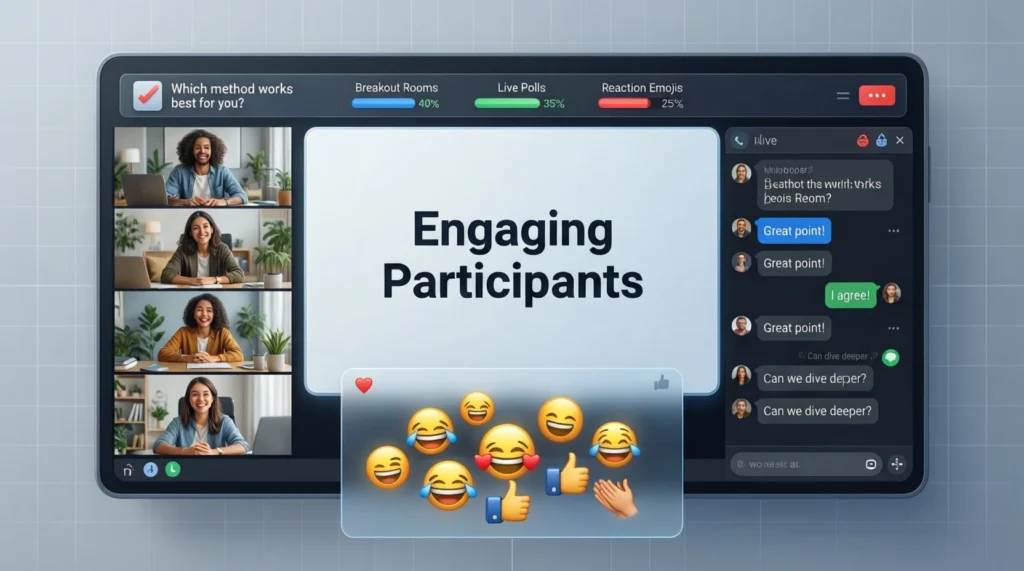
Engagement is crucial in virtual meetings. Encourage questions and active participation to prevent attendees from zoning out. Utilize polls, chat features, or reactions to keep the session interactive. For larger meetings, consider breakout rooms for smaller group discussions, which can foster collaboration.
Active Listening & Feedback
Show that you’re actively listening by paraphrasing participants’ points or asking follow-up questions. Invite others to summarize discussions to ensure alignment. Additionally, acknowledging contributions fosters a collaborative atmosphere and encourages continued participation.
Handling Disengagement
When participants seem distracted or silent, address them tactfully without singling anyone out. Break long meetings into shorter segments, incorporating interactive elements to maintain focus. By keeping sessions dynamic, attendees are more likely to stay engaged and contribute meaningfully.
Video Conferencing Etiquette
Professional behavior online mirrors in-person standards. Mute your microphone when not speaking to reduce background noise. Avoid multitasking or checking your phone during the meeting. Arrive on time and respect the meeting’s schedule. Also, use screen-sharing responsibly and ensure virtual backgrounds are appropriate. Consistently following these guidelines demonstrates respect for participants and enhances the overall experience.
Troubleshooting & Backup Plans
Despite preparation, technical issues can arise. Have a backup plan, such as a phone, secondary device, or alternative conferencing platform. Familiarize yourself with shortcuts and features like screen sharing, muting, and breakout rooms. Save presentation materials locally in case the internet fails. Additionally, recording sessions can help those unable to attend and provide a reference for follow-ups.
Continuous Improvement
After meetings, ask for participant feedback to identify areas for improvement. Reviewing recorded sessions allows you to assess your communication style, pacing, and engagement strategies. Stay updated on new video conferencing tools, features, and best practices. By continuously refining your approach, you’ll build confidence and professionalism over time.
Common Mistakes to Avoid
- Technical negligence: Forgetting to test audio/video or software updates.
- Overlong meetings: Lack of time management leads to disengagement.
- Poor engagement: Ignoring participants or failing to interact.
- Unprofessional setup: Distracting background, poor lighting, or inappropriate attire.
- Multitasking: Reduces focus and signals disrespect.
Avoiding these mistakes ensures smoother, more effective meetings that leave a positive impression.
FAQs
Q1: How can I improve video call engagement?
A: Use interactive tools like polls, breakout rooms, and Q&A sessions. Encourage participants to speak and actively respond to questions.
Q2: What’s the best lighting setup for video calls?
A: Natural light from the front is ideal. If unavailable, use soft, diffused artificial lighting to evenly illuminate your face.
Q3: How do I handle background noise effectively?
A: Use a quiet room, close doors, mute yourself when not speaking, and consider noise-canceling headphones.
Q4: How long should a video conference ideally last?
A: Most productive video meetings last 30–60 minutes. For longer sessions, incorporate breaks or interactive segments.
Q5: How do I maintain professionalism during virtual meetings?
A: Dress appropriately, maintain eye contact, use clear speech, and follow proper video conferencing etiquette.
Final Thoughts
Mastering video conferencing requires a combination of preparation, presentation, and engagement. By testing your technology, optimizing your environment, and honing your communication skills, you can transform any online meeting into a productive and professional experience.
Remember, interaction and attentiveness matter just as much as technical setup. Avoid common mistakes, continuously seek feedback, and refine your approach. Over time, these small yet consistent efforts will build confidence and ensure every virtual meeting runs smoothly.
Ultimately, professional video conferencing is not just about technology it’s about creating meaningful connections, fostering collaboration, and achieving your objectives effectively.

Robat Hood is a creative writer and contributor at Saypadia, focused on explaining trending words, slang, and cultural phrases in a simple and engaging way. With a sharp eye for modern language trends, Robat aims to make Saypadia a trusted place for understanding how words are used online and in daily conversations. His content is informative, approachable, and designed for readers of all levels.