
Typing is no longer an optional skill. Instead, it has become a daily necessity for students, professionals, and remote workers alike. Whether you are writing emails, completing school assignments, or managing online tasks, typing speed and accuracy directly affect productivity.
However, many people still struggle with slow typing, frequent mistakes, and poor finger placement. Because of that, learning touch typing the right way matters more than ever.
That is where Typing Club stands out. It is a structured online platform designed to help users learn typing step by step. Rather than relying on random practice, Typing Club follows a proven system that builds muscle memory, accuracy, and speed over time.
In this complete guide, you will discover what Typing Club is, how it works, its features, pricing, benefits, pros and cons, comparisons, and practical tips to learn faster.
What Is Typing Club?
Typing Club is an online typing practice platform focused on teaching touch typing. Touch typing means typing without looking at the keyboard while using proper finger placement. Unlike basic typing games, Typing Club follows a lesson-based curriculum that progresses from beginner to advanced levels.
Moreover, Typing Club is widely used by students, teachers, and schools. At the same time, it also serves adults who want to improve typing speed for work or personal growth. Because it runs entirely online, users can access it from almost any device with an internet connection.
How Typing Club Works
First, users start with basic lessons that introduce finger placement and keyboard layout. Then, lessons gradually increase in difficulty. Each session focuses on accuracy before speed, which helps learners build strong habits early.
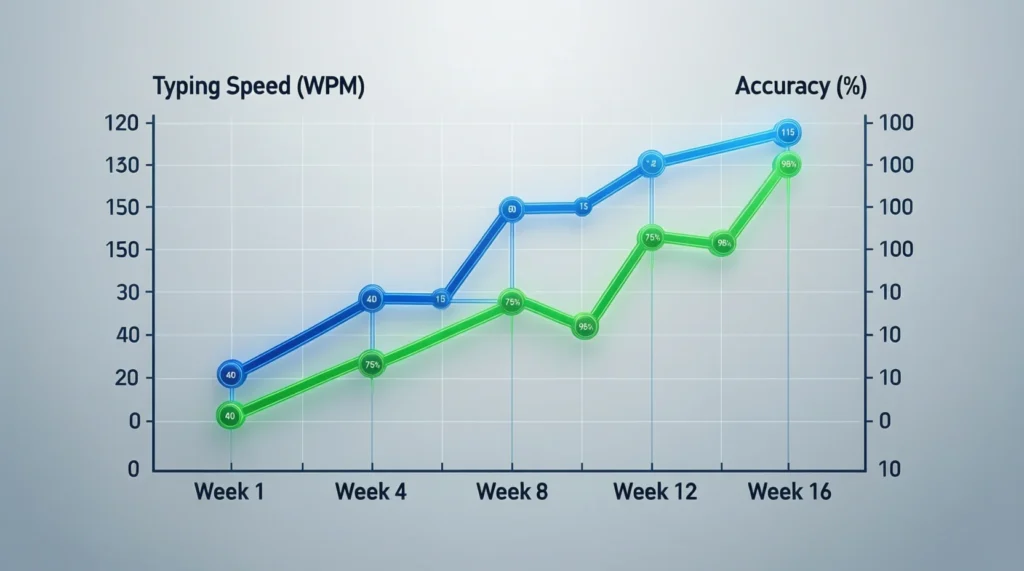
Next, Typing Club provides real-time feedback. If mistakes happen, the system highlights errors instantly. As a result, learners correct themselves immediately. Additionally, progress tracking allows users to see words per minute, accuracy percentages, and lesson completion status.
Over time, repeated practice builds muscle memory. Therefore, typing becomes faster, smoother, and more confident.
Key Features of Typing Club
Interactive Typing Lessons
Typing Club offers guided lessons that introduce keys one by one. Because lessons are structured, learners do not feel overwhelmed. Instead, skills build naturally.
Video Tutorials
Another strong feature is video instruction. These short videos explain finger positioning and posture clearly. Consequently, visual learners benefit greatly.
Gamified Learning Experience
Typing Club uses stars, levels, and achievements. Because of this, learners stay motivated and consistent.
Skill-Based Progression
Lessons unlock only after completing previous ones. Therefore, learners move forward only when ready.
Progress Tracking
Typing speed, accuracy, and lesson history are tracked. As a result, users clearly see improvement over time.

Typing Club for Students
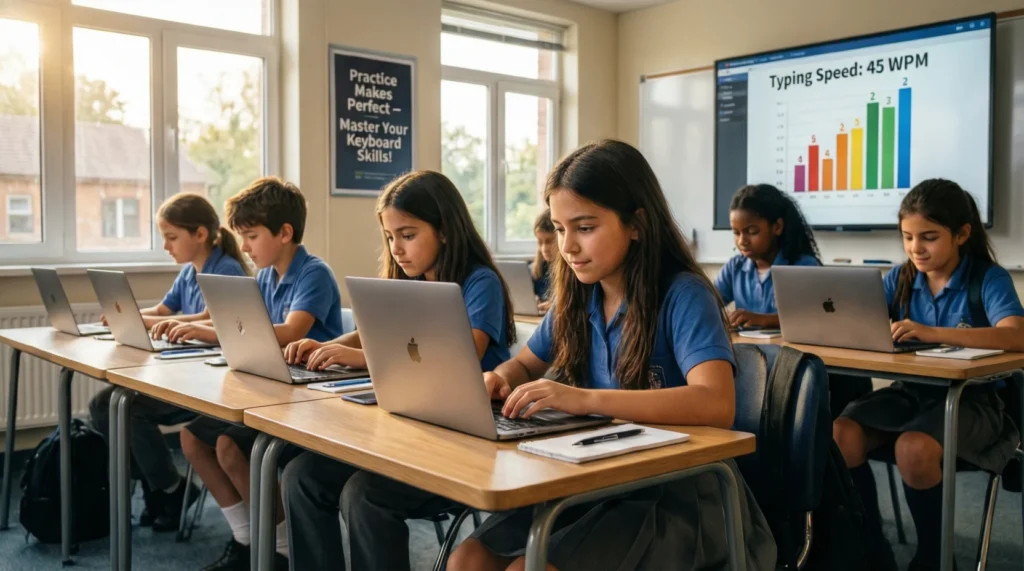
Typing Club is especially useful for students. Since many schools now rely on digital assignments, typing skills are essential. Typing Club helps students type faster, reduce mistakes, and complete homework efficiently.
Additionally, lessons are age-appropriate. Younger learners start with basics, while older students move toward advanced typing drills. Over time, students gain confidence, which improves academic performance.
Typing Club for Teachers and Schools
Typing Club also offers tools designed for educators. Teachers can monitor student progress through dashboards. Furthermore, they can assign lessons, track accuracy, and review reports.
Because of these features, Typing Club fits well into classroom environments. Schools can integrate it into computer classes or remote learning programs easily.
Typing Club Pricing: Free vs Premium
Typing Club provides a free version that covers core typing lessons. This version is enough for beginners and casual learners. However, it may include ads and limited customization.
On the other hand, the premium version removes ads and unlocks advanced features. Schools and institutions often prefer premium plans for better control and reporting. Still, many users successfully learn typing using only the free version.

Benefits of Using Typing Club
First, Typing Club improves typing speed gradually. Second, it increases accuracy by focusing on correct finger placement. Third, it reduces typing fatigue by promoting proper posture.
Additionally, it saves time in daily tasks. Because typing becomes automatic, users focus more on content rather than keys. Ultimately, confidence increases across digital activities.
Pros and Cons of Typing Club
Pros
- Easy to use interface
- Structured learning path
- Suitable for all skill levels
- Free access available
Cons
- Internet connection required
- Limited features in free version
Typing Club vs Other Typing Programs
Compared to random typing games, Typing Club offers a more structured approach. While other platforms focus mainly on speed, Typing Club balances accuracy and technique. As a result, learners build long-term skills rather than short-term speed boosts.
Additionally, its classroom features give it an edge over basic typing websites.
Tips to Learn Typing Faster Using Typing Club
First, practice daily, even if only for 15 minutes. Second, focus on accuracy before speed. Third, avoid looking at the keyboard. Moreover, maintain proper posture and hand position. Finally, stay patient, because consistency brings results.
Is Typing Club Safe and Legit?
Yes, Typing Club is safe and widely trusted. Schools across the world use it. Data privacy measures are in place, and content is suitable for students. Therefore, parents and teachers can rely on it confidently.
Who Should Use Typing Club?
Typing Club is ideal for beginners, students, teachers, office workers, freelancers, and professionals. Essentially, anyone who types regularly can benefit from it.
FAQs About Typing Club
Is Typing Club free to use?
Yes, It offers a free version with core lessons.
How long does it take to learn typing?
Most learners see improvement within a few weeks of daily practice.
Can adults use It?
Absolutely. Typing Club works for all age groups.
Does It provide certificates?
Yes, certificates are available after completing certain levels.
Final Thoughts
Typing Club is a reliable and effective platform for learning touch typing. Because it combines structure, feedback, and motivation, it works well for beginners and advanced users alike.
Whether you want to type faster for school, work, or personal growth, Typing Club provides the tools needed to succeed. With consistent practice, better typing skills are only a few lessons away.

Robat Hood is a creative writer and contributor at Saypadia, focused on explaining trending words, slang, and cultural phrases in a simple and engaging way. With a sharp eye for modern language trends, Robat aims to make Saypadia a trusted place for understanding how words are used online and in daily conversations. His content is informative, approachable, and designed for readers of all levels.